Creating Webhooks
Webhooks allow your system to receive real-time notifications when events occur in the platform (for example when a PID, OTP, or compliance check is completed).
Webhooks can be configured from the portal under:
Settings → Account → Webhooks
Step 1: Open the Webhooks Page
- Log in to the portal.
- Open Settings from the main navigation.
- Select Account.
- Click Webhooks.
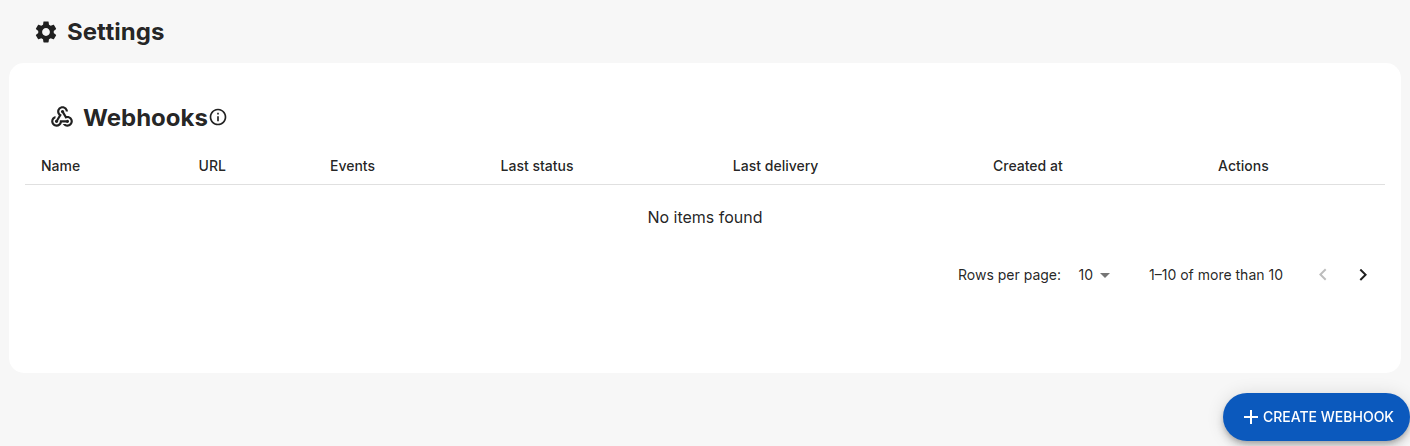
You will see an overview of all webhooks configured for your account.
Step 2: Create a New Webhook
- Click the Create Webhook button.
- Fill in the webhook configuration fields:
Configuration Fields
- Enable webhook Enables or disables the webhook. Disabled webhooks will not receive events.
- Name
A human-readable name to identify the webhook
(e.g.
Production Webhook,Backend Listener) - URL
The HTTPS endpoint that will receive webhook events
(e.g.
https://api.yourdomain.com/webhooks/agc) - Secret (optional but recommended)
A shared secret used to sign webhook deliveries with HMAC.
If no secret is configured, webhook requests will not include the
X-Agc-Signatureheader.
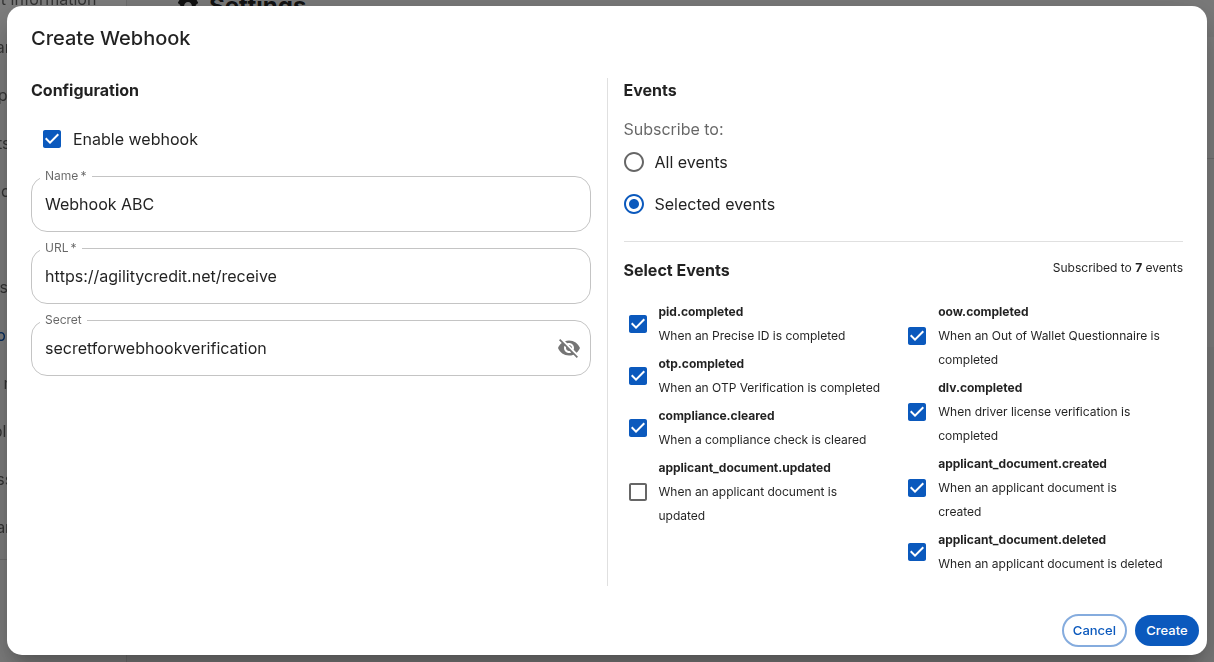
Under Events, choose which events this webhook should receive. You can select:
- All events – receive notifications for every available event
- Selected events – receive notifications only for specific events
When selecting specific events, you can subscribe to events such as:
pid.completedotp.completedcompliance.cleareddlv.completedoow.completedapplicant_document.createdapplicant_document.updatedapplicant_document.deleted
Step 3: Save the Webhook
- Click Create to save the webhook.
- You will be redirected back to the Webhooks overview page.
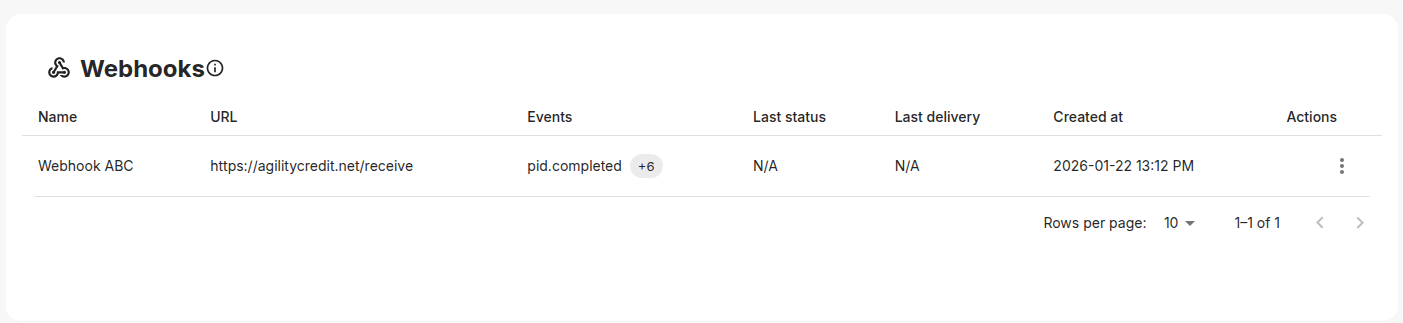
- The new webhook will appear in the list showing:
- Name
- Endpoint URL
- Subscribed events
- Last delivery status
- Last delivery timestamp
- Creation date
Once created, the webhook becomes active immediately and will start receiving events.
Best Practices
- Always use HTTPS endpoints
- Configure a secret and validate signatures
- Respond with a
2xxHTTP status code once processing succeeds - Implement idempotent processing using
event_id - Log webhook deliveries for debugging and auditing
- Keep webhook endpoints lightweight and fast
Troubleshooting
-
No events received
- Ensure the webhook is enabled
- Verify the correct events are selected
- Check endpoint reachability
-
Signature validation failures
- Ensure the raw request body is used
- Confirm the correct secret is configured
- Validate timestamp tolerance