SSO & SCIM Overview
Agility Credit supports federated sign-on so your users can authenticate against your existing identity provider (IdP) — Okta, Entra ID (Azure AD), or any standards-compliant SAML 2.0 / OIDC provider. You can optionally enable SCIM for automated user provisioning.
This section is for tenant administrators configuring the connection between your IdP and Agility Credit.
What you get
- Single sign-on (SSO) — Users sign in with your IdP credentials instead of an Agility password.
- Automatic role assignment — Map IdP groups or attributes to Agility roles, applied on every sign-in.
- SCIM provisioning (optional) — Pre-provision users and groups from your IdP; disable just-in-time (JIT) creation.
- Activity log — Every SSO and SCIM event is recorded and visible in the portal.
Supported configurations
| Protocol | Officially supported IdPs | Other IdPs |
|---|---|---|
| SAML 2.0 | Okta, Entra ID | Any SAML 2.0 IdP works but is not officially supported |
| OIDC | Okta, Entra ID | Any OIDC IdP works but is not officially supported |
Use SAML 2.0 if your IdP team is more familiar with it or if your enterprise security policy mandates SAML. Use OIDC for a simpler setup with fewer moving parts (no certificates to rotate).
How the flow works
- A user visits the portal and clicks Login with SSO.
- They enter their work email and receive a 6-digit verification code (OTP).
- After verifying the code, they're redirected to your IdP.
- Your IdP authenticates the user and returns claims to Agility.
- Agility resolves the user's roles using your role mapping configuration, then issues a portal session.
If the user belongs to multiple SSO-enabled tenants, they pick which tenant to sign in to before the redirect.
SCIM × SSO matrix
How sign-on behaves depends on whether SCIM provisioning is enabled for your tenant:
| Tenant state | New user signs in via SSO | Existing user signs in via SSO |
|---|---|---|
| SCIM disabled | User is auto-created (JIT); roles derived from your role mapping | Roles re-synced from your role mapping on every sign-in |
| SCIM enabled | Sign-in rejected — user must be provisioned via SCIM first | Roles come from the SCIM-managed user record; SSO role mapping does not override |
When SCIM is enabled, your IdP is the source of truth for both users and their roles. SSO is used only for authentication.
Endpoints you'll need
These are the URLs you'll paste into your IdP application. Production values are shown below; sandbox uses the same paths under a different domain.
| Use | Production | Sandbox |
|---|---|---|
| SAML ACS URL | https://sso.agilitycredit.net/auth/saml/callback | https://sso.agc-sandbox.com/auth/saml/callback |
| SAML SP Entity ID | https://sso.agilitycredit.net | https://sso.agc-sandbox.com |
| OIDC Redirect URI | https://sso.agilitycredit.net/auth/oidc/callback | https://sso.agc-sandbox.com/auth/oidc/callback |
The exact values for your tenant are also displayed in the portal under Settings → Account → Identity in the SP Metadata panel, with one-click copy buttons.
Where to configure SSO
All SSO and SCIM settings live in the portal under:
Settings → Account → Identity
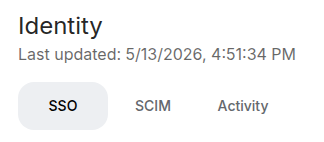
The page has three tabs:
- SSO — Protocol selection, IdP connection details, role mapping
- SCIM — Enable provisioning, view the SCIM endpoint and bearer token instructions
- Activity — Recent SSO and SCIM events (last 7 days), with optional debug logging
Next steps
- Set up Okta — Click-through guide for Okta (SAML + OIDC)
- Set up Entra ID — Click-through guide for Microsoft Entra ID
- Role mapping — How Agility roles are assigned based on IdP claims
- SCIM provisioning — Automate user lifecycle from your IdP
- Troubleshooting — Common errors and how to read the activity log
For embedding Agility into other apps, see Deep links.